Restore & Seeding overview
Restore & Seeding writes data from your snapshots back into Salesforce. The same engine covers two jobs:
- Restore — recover deleted or damaged records into the org they came from (or any other org).
- Sandbox seeding — fill a sandbox with a realistic, scoped, optionally anonymized subset of production data.
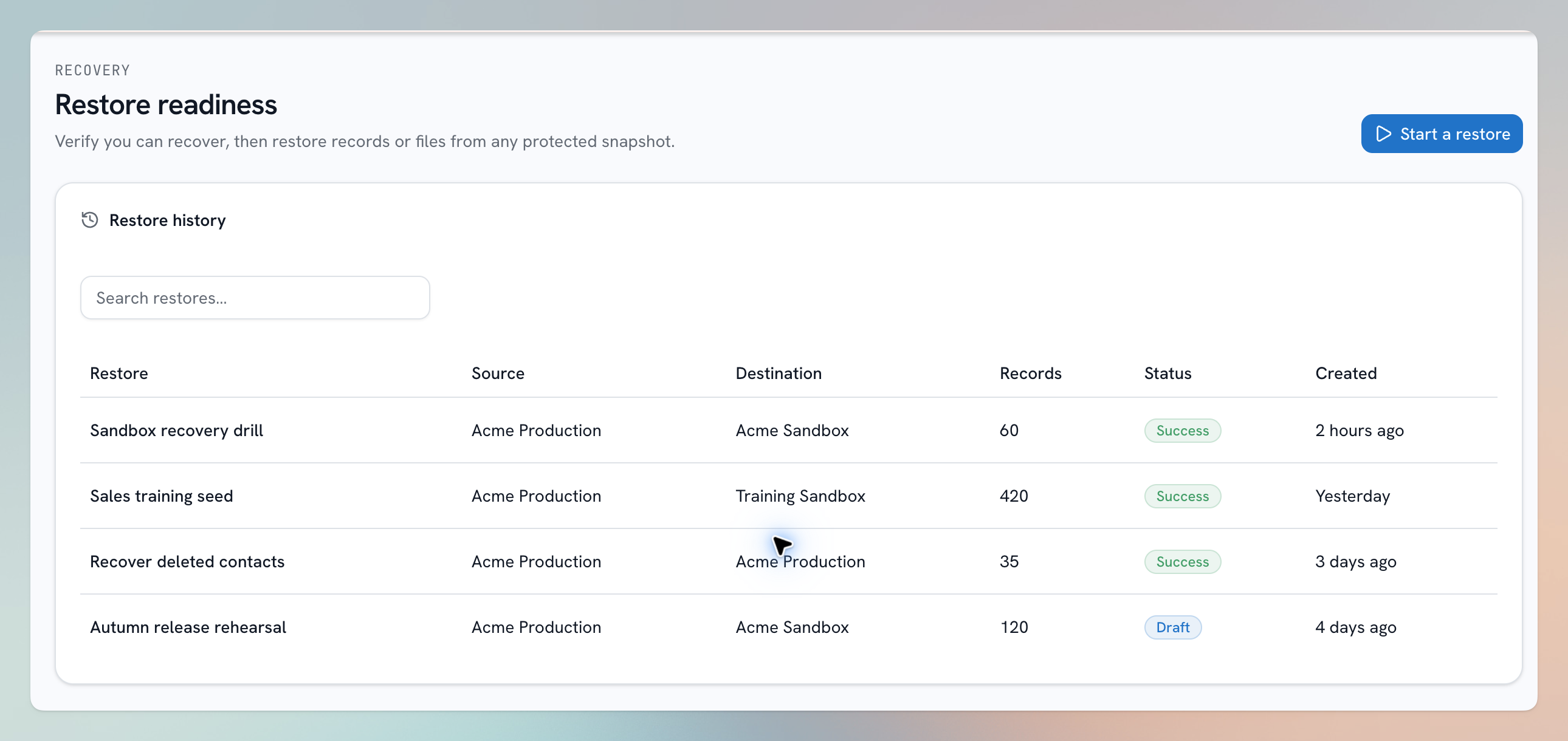
Illustration using sample data.
What makes restores hard — and how bluefactory handles it
Putting records back is much harder than taking them out: records reference each other, and Salesforce insists parents exist before children point at them. bluefactory's restore engine handles this for you:
- Relationship-aware loading — you restore a whole tree of related objects in one job; records load parents before children, level by level, and lookups are reconnected automatically.
- Scope precisely — pick a root object, attach related objects, and filter each one, with the same visual scope builder used across the platform.
- Choose how records land — Insert (always create new), Upsert (match by Id where possible, insert the rest), or Update (modify matched records only). Individual objects can instead match on an External Id field, making re-runs safe.
- Transform on the way in — anonymize fields, rewrite values, ignore fields as records load.
- Review before anything happens — every restore goes through a pre-flight page showing exactly which objects and how many records will load, and writing into a non-sandbox org requires an explicit acknowledgement.
- Compliance built in — records covered by a Data Compliance forget request are automatically excluded, and rectified fields come back corrected.
Restore statuses
A restore job moves through: Draft (scope saved, nothing launched) → Pending (queued) → Running → Success, Warning (finished with some failures), or Error. The job page live-updates and shows per-object, per-record results.
In this section
- Restoring data — the full walkthrough.
- Building a scope — the visual scope builder.
- Data mapping and anonymization — transforming values on load.
- Sandbox seeding — the seeding workflow end to end.